ePAF instructions
Directions for creating an electronic personnel action form (ePAF)
The Electronic Personnel Action Form (ePAF) can be found in FlashLine/ Employee/ HR & Employee Workflows:
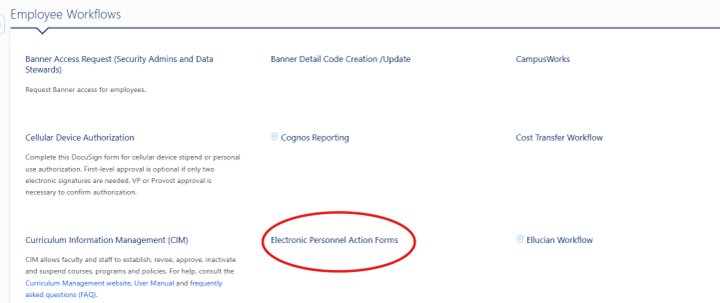
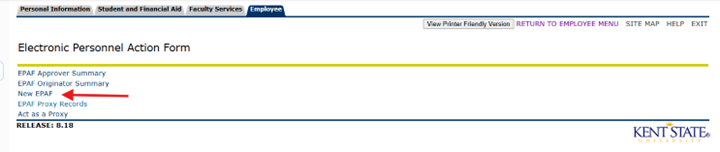
Click on the link to access the ePAF menu, then click 鈥淣ew EPAF鈥�
This brings up the person selection. Enter the ID and hit tab to populate the name of the instructor. Or use the search function as described on the page.
The Query Date populates with today鈥檚 date 鈥� it must be updated.
- Query dates for preset parts of term include: Fall semester 鈥� 08/16/20XX Spring semester 鈥� 01/01/20XX
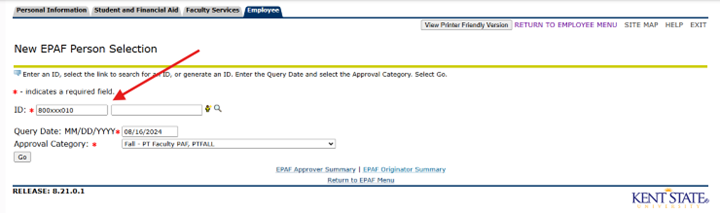
Choose the applicable Approval Type 鈥� the instructor鈥檚 ACTIVE jobs will be displayed. Click Go.

Here you will enter the position number for your job. Choose the next available suffix for the position number. Click Go.
REMINDER 鈥� for all summer grant payments use position 992098
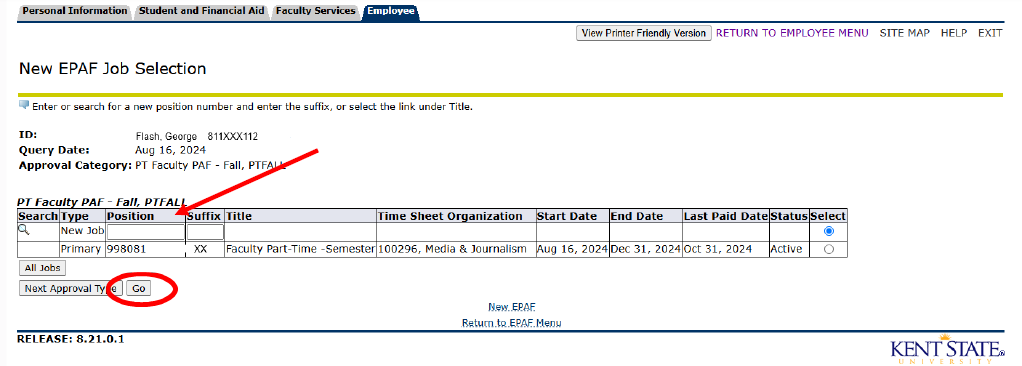
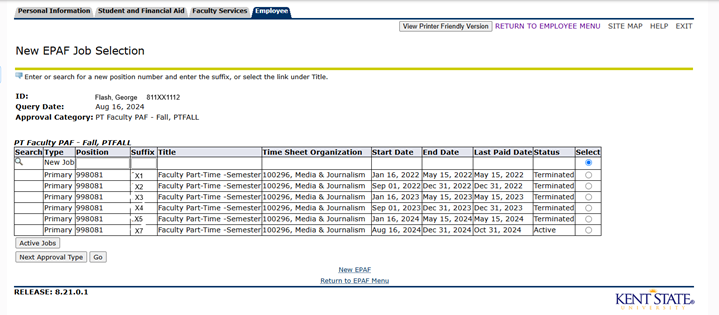
To see a list of previous jobs click All Jobs
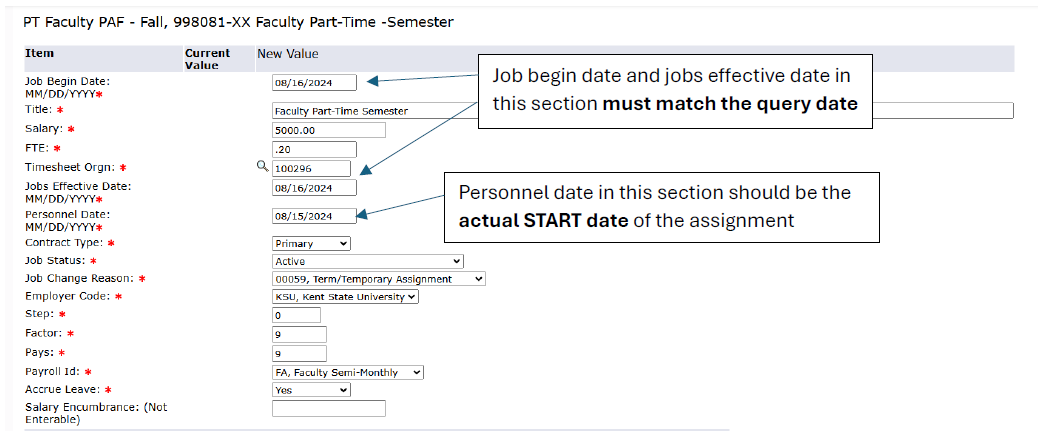
In this section, the dates are for the START of the assignment.
- PT faculty FTE is calculated by dividing the credit hours of the assignment by 15. In this case 3 credit hours / 15 = .20
Graduate Assistant FTE is calculated by dividing the assignment hours by 40. A 鈥淔T鈥� GA assignment is .50 FTE.
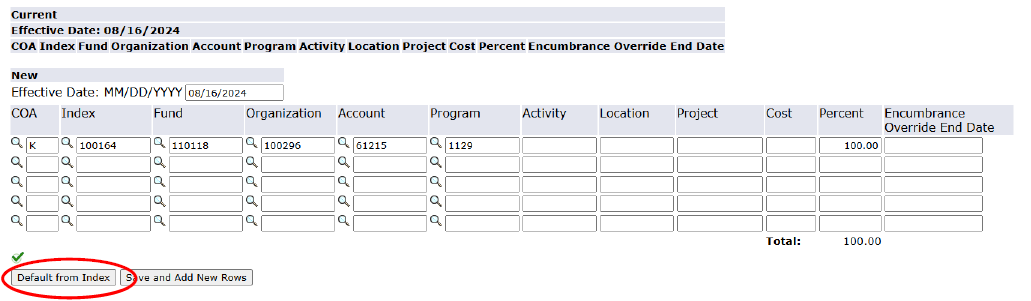
The date in the funding section populates from the query date 鈥� there is no need to update it.
To update the index, simply type over the existing index, then click the 鈥淒efault from Index鈥� button.
- You will need to add the account code after the funding information populates from the index.
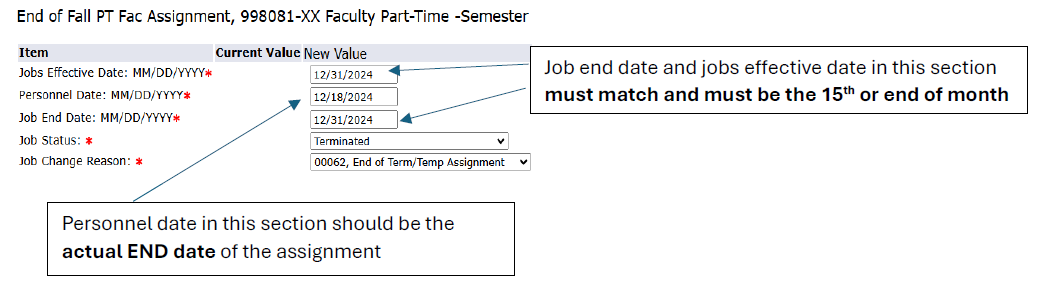
In this section, the dates are for the END of the assignment.
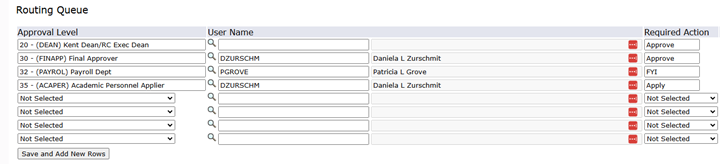
All ePAFs must have at least the four levels of approval listed below. In addition, you may add a departmental level approver (level 10) or other levels as applicable.
- All grant funded ePAFs must include the PI in the approval queue (level 3).
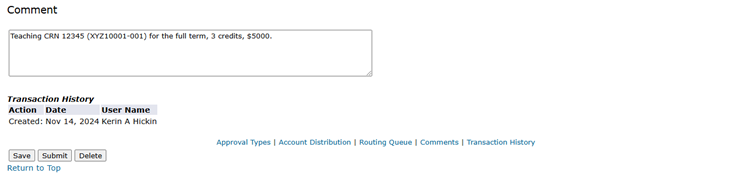
Make sure to add meaningful comments.
- PT Faculty comments should include course information, dates of assignment, salary and contact hour information.
- GA comments should include hours per week, salary and whether they are PhD or Master level students.